
On This Page
Quick Answer: How to Log In to Exness Safely
Go to the official Exness website → Click Sign In → Enter your registered email and password → Login
What Do You Need Before Logging In?
Before accessing your account, make sure you have:
- Your registered email address
- Your account password
- A stable internet connection
- Access to your verification method (if 2FA is enabled)
👉 Having these ready ensures a smooth and secure login process.
Can’t sign in because you forgot your password? See our Exness password reset guide for step-by-step instructions.
Step-by-Step: How to Access Your Exness Account
Step 1: Go to the Official Website
Visit the official Exness website and locate the “Login” button.
If you do not have an Exness account yet, read our step-by-step guide on how to open an Exness account here before logging in.
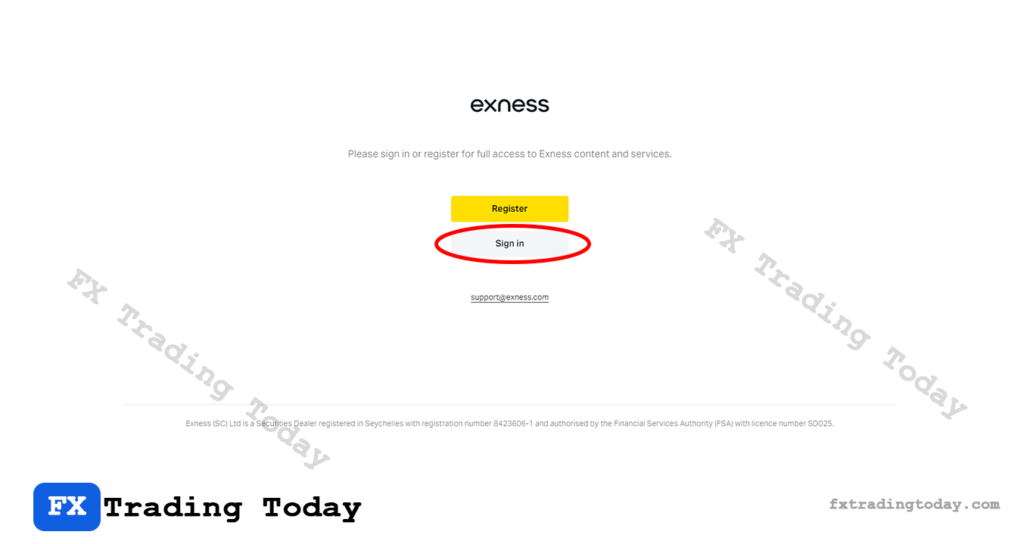
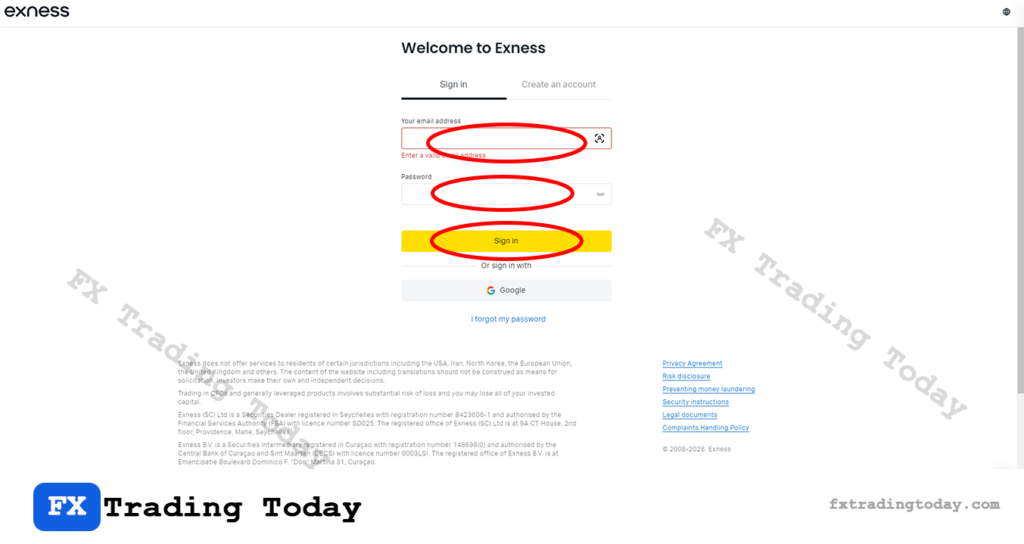
Step 2: Enter Email, Password, and Sign In
Input your registered email address and password.
Step 3: Complete Security Verification
If enabled, enter the verification code sent to your device or email.
Step 4: Access Your Personal Area
Once verified, you will be redirected to your Personal Area dashboard, where you can manage your trading account, funds, and settings.
How to Log In Exness on Different Devices
Mobile App
You can use the Exness mobile app for quick access to your account, deposits, withdrawals, and trading tools. It is ideal for monitoring trades on the go from your smartphone or tablet.
If you are using a mobile device, follow our step-by-step guides to download Exness on Android or install Exness on iOS here.
Trading Platforms (MT4 / MT5)
You can also log in to Exness through MetaTrader 4 or MetaTrader 5 using your trading account number, trading password, and server name. These platforms are mainly used for executing trades, analyzing charts, and managing open positions.
Need help connecting your account? Follow our MT4 Exness connection guide here if you use MetaTrader 4, or read our MT5 Exness connection guide here if you prefer MetaTrader 5.
Common Exness Login Issues and How to Fix Them
Incorrect Password
- Double-check your credentials or reset your password
Account Not Verified
- Complete the identity verification process
Accessing Fake Websites
- Always ensure you are using the official Exness domain
Security Tips for Safe Access
- Never share your login details with anyone
- Enable two-factor authentication (2FA)
- Avoid logging in on public or shared devices
- Bookmark the official website to prevent phishing
FAQ
How do I access my Exness account if I forgot my password?
Can I access my Exness account on multiple devices?
Why can’t I access my Exness account?
- Incorrect email or password
- Account not verified
- Temporary system issues
- Accessing from a restricted region
