
On This Page
If you forgot your Exness password and can’t log in, don’t worry.
You can reset your password in just 2 minutes using your registered email and verification code.
This guide focuses only on recovering your Exness password
Quick Answer: Reset Exness Password
Go to Exness login → Click Forgot Password → Enter your email → Verify code → Create a new password → Log in again.
What Is Exness Password?
Your Exness password is used to:
- Log in to your Exness dashboard
- Manage deposits and withdrawals
- Control account settings and security
👉 If you cannot access your account, this is the password you need to reset.
How to Reset Exness Personal Area Password (Step-by-Step)
Step 1: Go to Exness Login Page
Visit the official Exness website and click Sign In
Step 2: Click “Forgot Password”
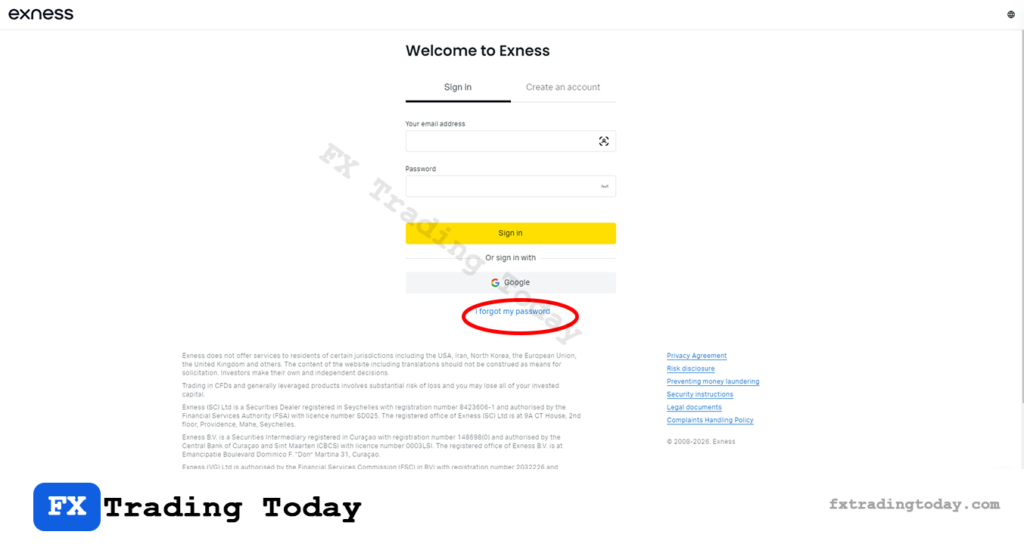
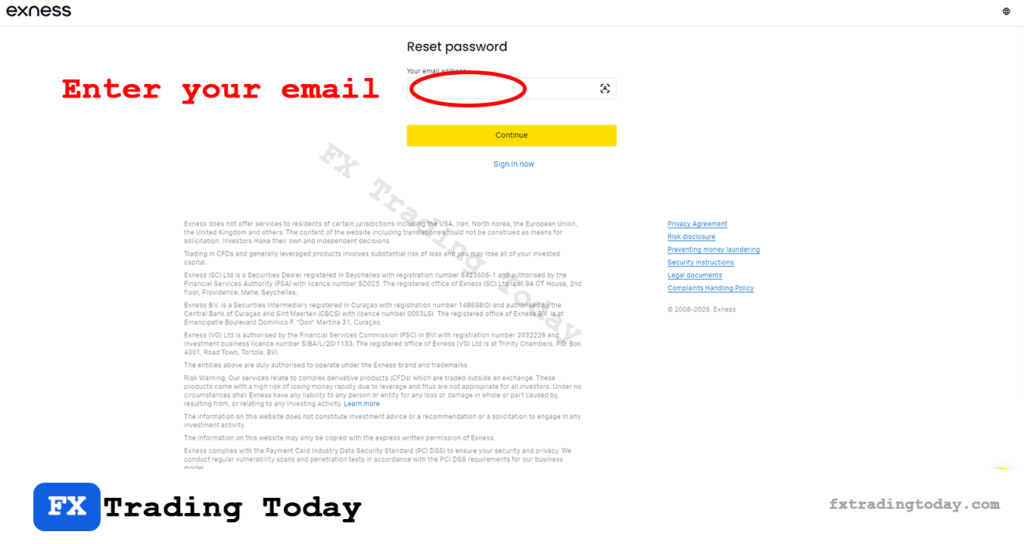
Step 3: Enter Your Registered Email
Make sure you enter the same email linked to your Exness account
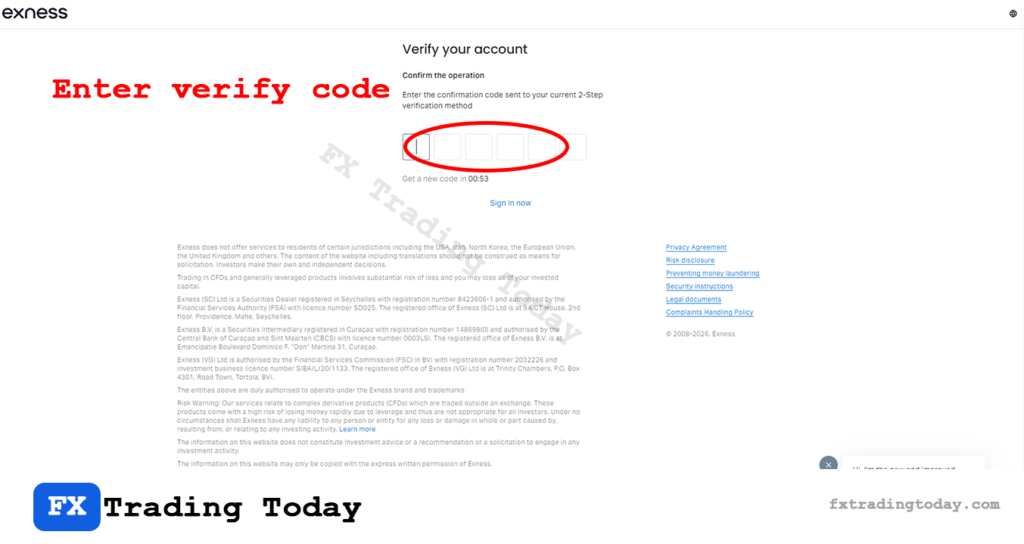
Step 4: Complete Security Verification
- Enter the code sent to your email or phone
- This step confirms account ownership
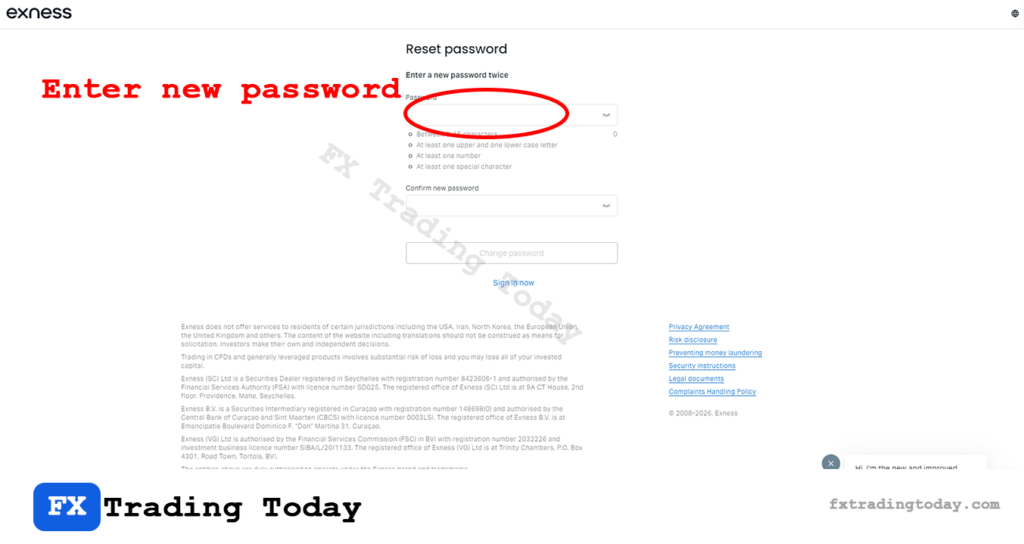
Step 5: Create a New Password
Your new password should:
- Have at least 8 characters
- Include uppercase, lowercase, and numbers
- Be different from your previous password
Step 6: Click Change Password
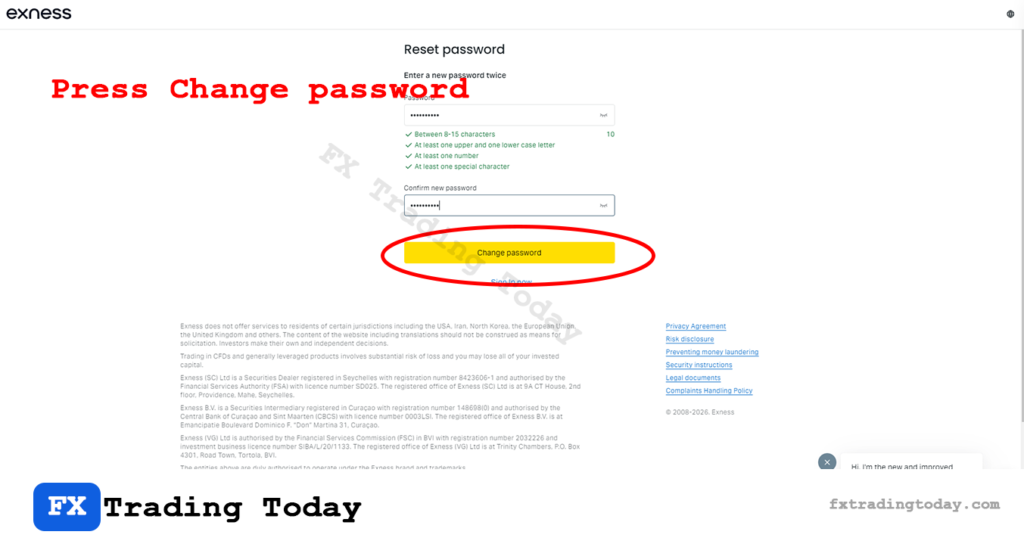
Step 7: Log In with New Password
Return to the login page and access your account normally
From my personal experience, I tested the full Exness password reset process from receiving the verification code to changing the password and logging back in and it took just 2 minutes.
If you have successfully reset your password, continue with our step-by-step guide on how to log in to your Exness account.
Common Issues When Resetting Password
I didn’t receive the reset email
- Check spam or junk folder
- Wait a few minutes and try again
- Ensure your email is correct
I no longer have access to my email
- You cannot reset password without verification
- Contact Exness support for identity recovery
The reset link expired
- Request a new reset link
- Use it immediately after receiving
Security Tips After Resetting Password
- Enable 2-factor authentication (2FA)
- Avoid using the same password on multiple platforms
- Do not share your login details
- Always log in from the official Exness website
FAQ
How long does it take to reset Exness password?
Can I reset password without email verification?
Is resetting password free?
How long does it take to reset Exness password?
Usually 2–5 minutes if verification is successful.
Can I reset password without email verification?
No — email or phone verification is required for security.
Is resetting password free?
Yes, Exness does not charge any fees.