
On This Page
Adding your Exness trading account to MetaTrader 5 (MT5) is a simple process that allows you to start trading forex, gold, indices, and more in just a few minutes.
Whether you’re using desktop or mobile, this guide will walk you through each step clearly.
Quick Answer: Add Exness Account to MT5 in Seconds
Open MT5 → Go to Login → Select Exness server → Enter account number + password → Click Login → Start trading.
How to Create an MT5 Account on Exness?
If you don’t have an MT5 account yet, you need to create one in your Exness Personal Area before connecting to the platform.
Step 1 : Go to the official Exness website and log in to your Personal Area
Step 2 : Navigate to Accounts → Open Account
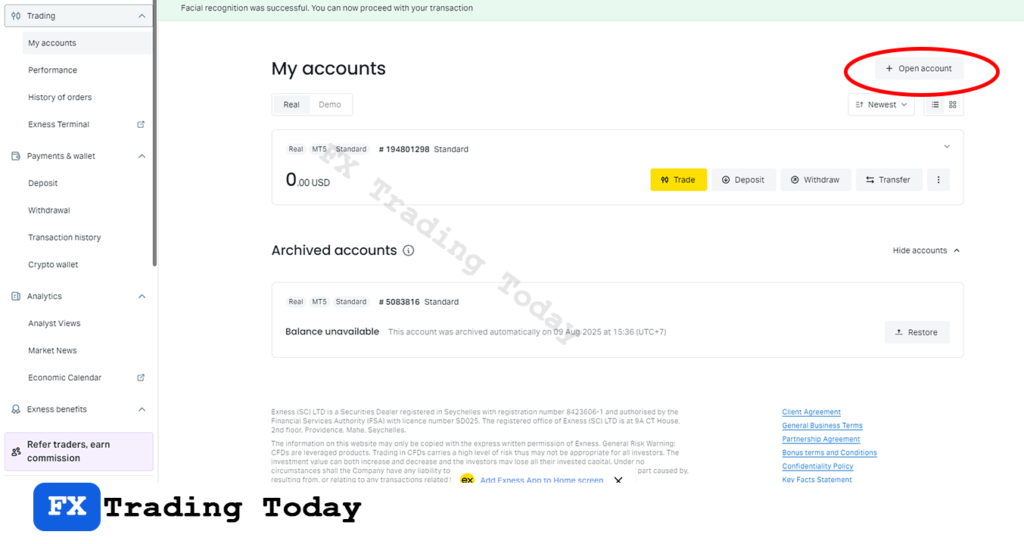
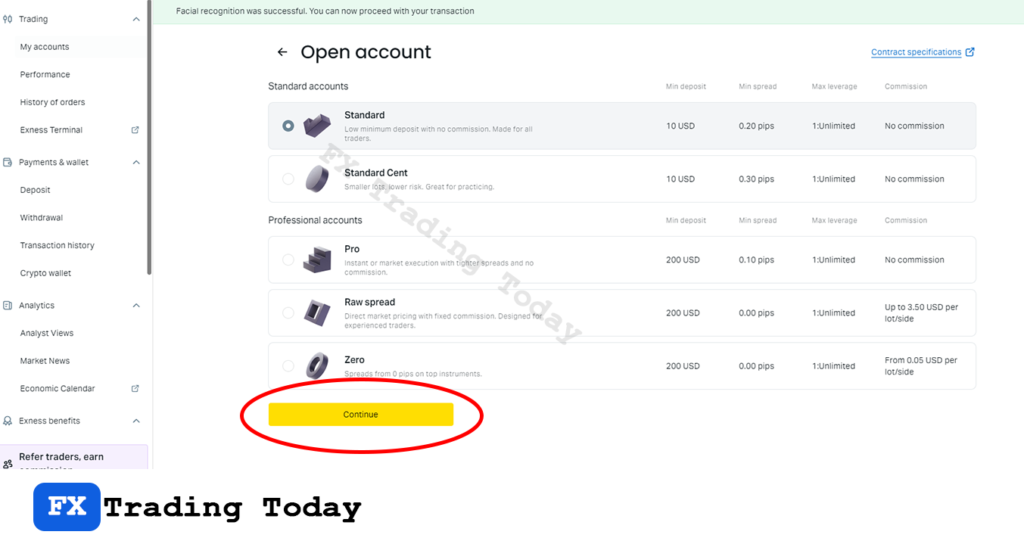
Step 3 : Select your preferred account type
Step 4 : Choose MetaTrader 5 (MT5) as your platform
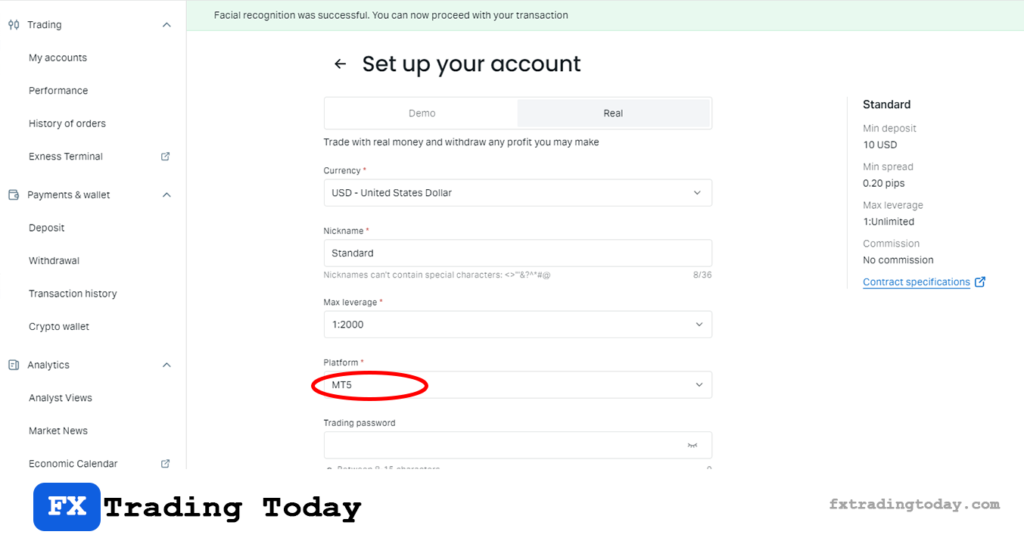
Step 5 : Set your: Account currency, Leverage and Trading password
👉 After that, you will receive:
- MT5 login ID
- Server name (e.g., Exness-MT5Real)
- Trading password
How to Connect Exness to MT5 in Detail (Step-by-Step)
After creating your MT5 account on Exness, the next step is to connect it to the MetaTrader 5 platform. Follow the instructions below depending on your device.
Step 1 : Open the MetaTrader 5 platform
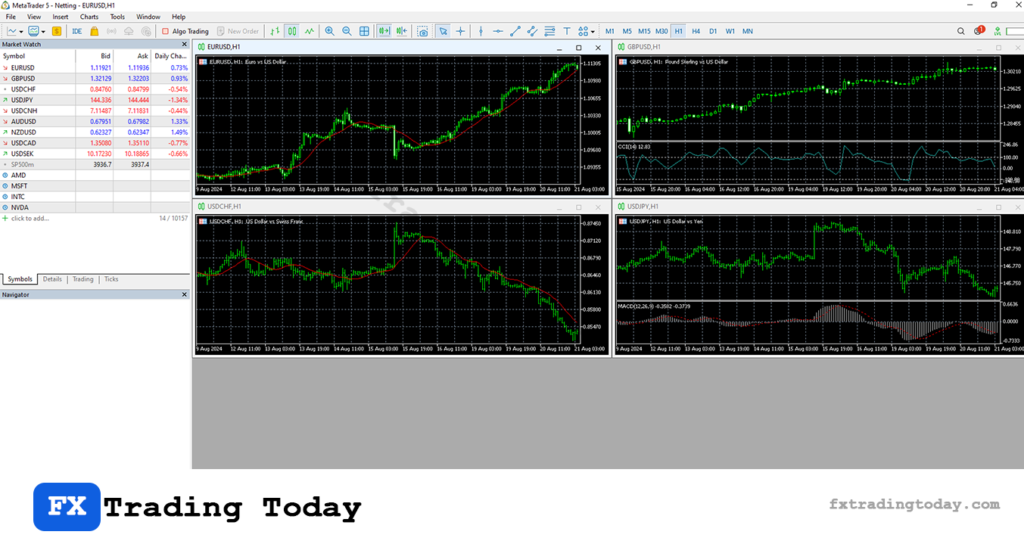
👉 If you haven’t installed the platform yet, follow this step-by-step guide: How to download MT5 Exness
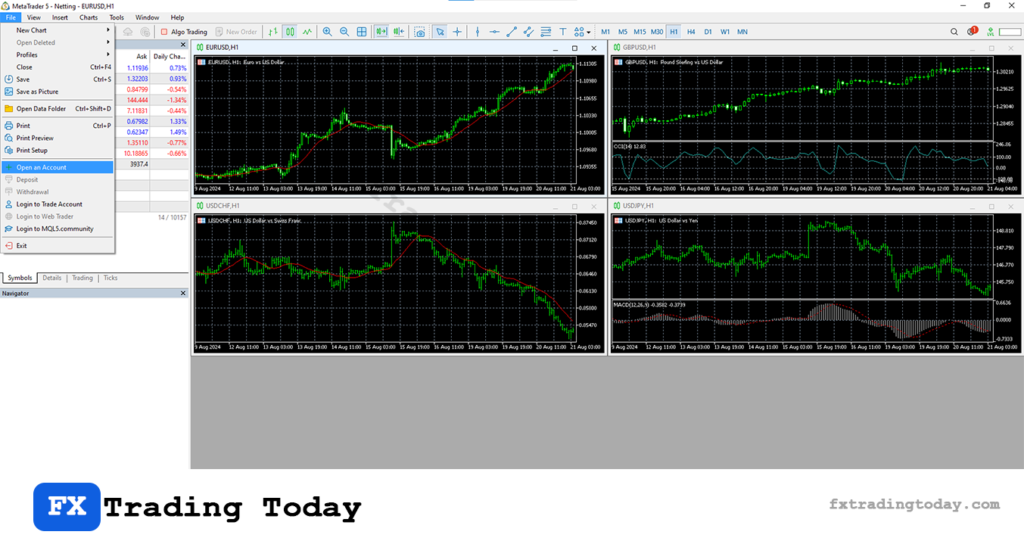
Step 2 : Click File → Open an Account
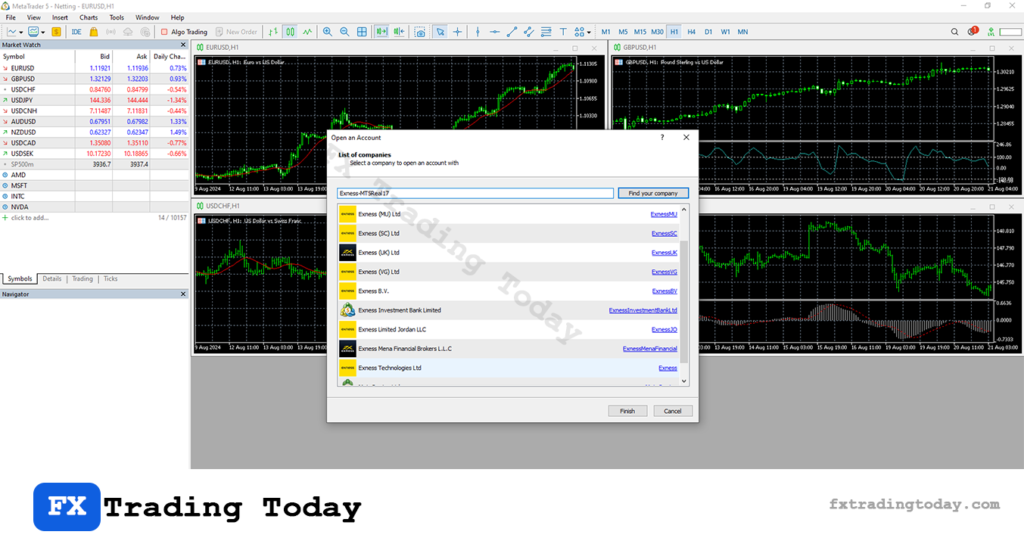
Step 3 : Enter Exness Server
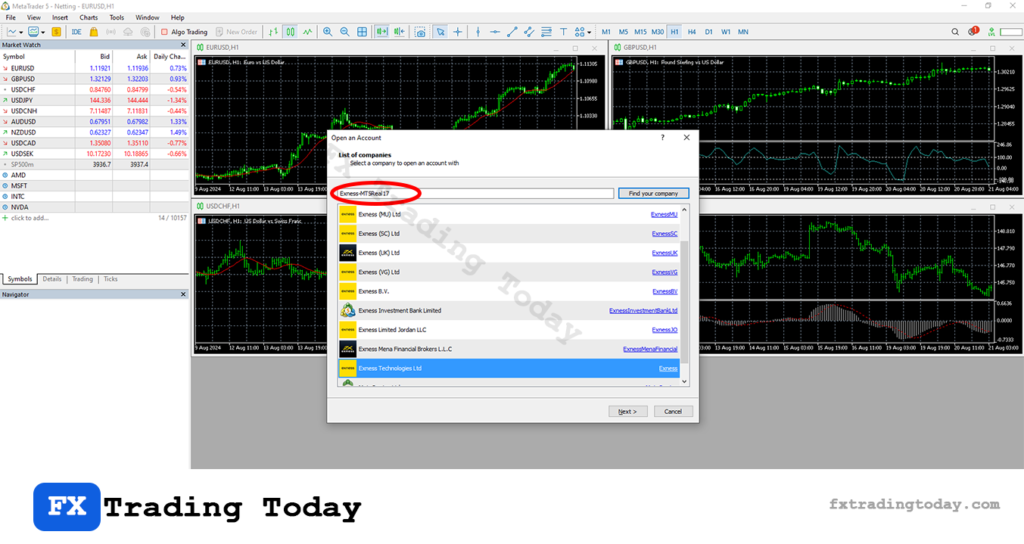
Step 4 : Select correct Exness Server and Click Next
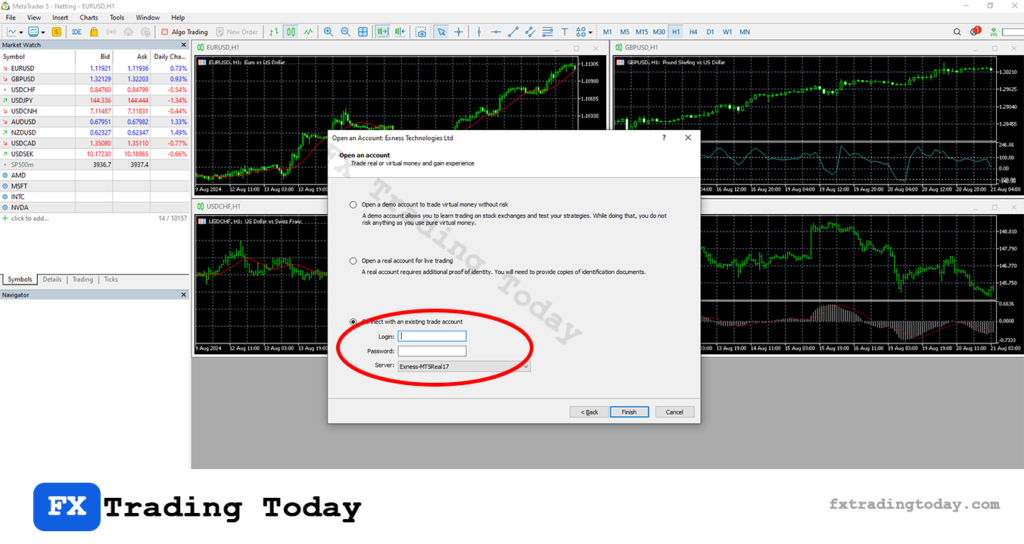
Step 5 : Enter Exness MT5 account and Password
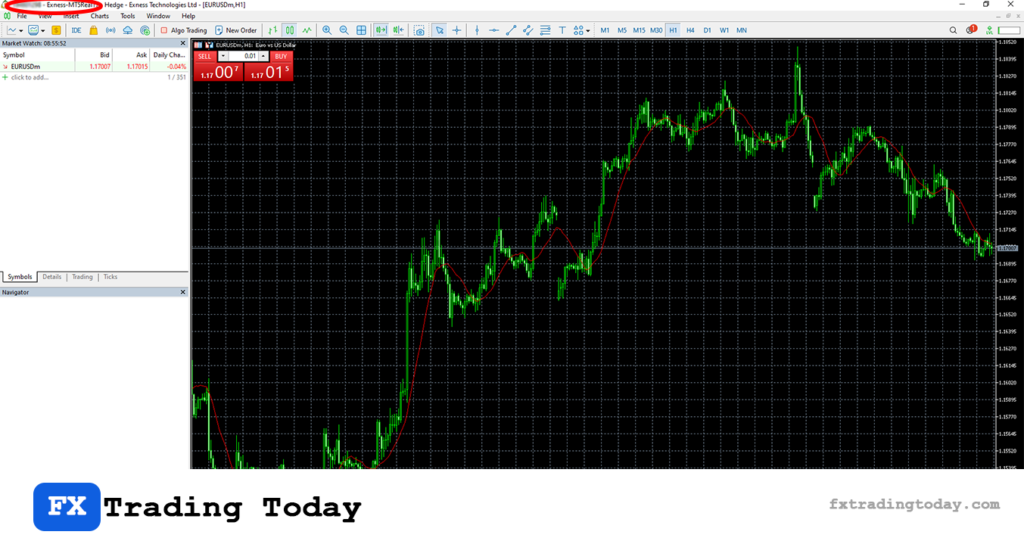
Common Problems When Connecting Exness to MT5
Cannot log in to MT5
- Check if login ID is correct
- Make sure you use trading password, not investor password
Wrong server
- Always select the exact server shown in Exness Personal Area
No connection / slow loading
- Check internet connection
- Restart MT5 platform
Account not found
- Ensure you selected MT5, not MT4
Tips for a Smooth Connection
Save your login details securely.
Double-check the server name before logging in.
Use the official MT5 platform only.
Avoid logging in on unknown or modified apps.
