
Opening an account with Vantage Markets is fast, fully online, and designed for beginners. In most cases, you can register within minutes and start trading the same day after completing verification.
How to Open Vantage Account: Step-by-Step Guide for Beginners (2026)
📊 Full Article about
Vantage
Open Account Vantage
What Do You Need Before Opening a Vantage Account?
Before getting started, prepare the following:
- Valid email address and phone number
- Government-issued ID (passport, national ID, or driver’s license)
- Proof of address (bank statement or utility bill issued within the last 6 months)
👉 Having these ready will speed up your verification process.
How to Open a Vantage Account (Step-by-Step)
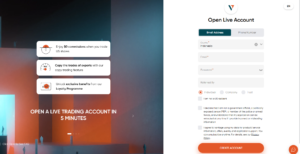
🔹 Step 1: Register Your Account
- Visit the official Vantage website
- Click “Register”
- Enter:
- Email address
- Password
- Country of residence
- Accept the terms and continue
👉 This creates your client dashboard (Personal Area)
🔹 Step 2: Verify Email & Phone Number
- Confirm your email via verification link
- Enter your phone number
- Input OTP code sent via SMS
👉 This step enhances security and is required before trading.
🔹 Step 3: Complete Your Personal Profile
Provide basic details:
- Full name
- Date of birth
- Residential address
- Trading experience
👉 Required for regulatory compliance and account approval.
🔹 Step 4: Verify Your Identity (KYC)
Upload the required documents:
Identity Verification
- Passport / National ID / Driver’s license
Address Verification
- Bank statement or utility bill
⏱️ Most Vantage accounts are verified within 24 hours
🔹 Step 5: Open a Trading Account
Inside your dashboard:
- Click “Open Account”
- Choose:
- Account type (Standard STP, Raw ECN)
- Platform (MT4 / MT5)
- Base currency (commonly USD)
- Leverage
👉 Vantage allows multiple trading accounts under one profile.
🔹 Step 6: Deposit Funds
Choose a funding method:
- Local Bank Transfer — instant (24/7)
- Credit/Debit Card — instant
- E-wallets (Skrill, Neteller, etc.) — instant
- Crypto — ~1 hour to up to 12 hours (network dependent)
👉 Processing time depends on the payment method used.
🔹 Step 7: Start Trading
- Download MT4 / MT5 or use WebTrader
- Log in using your trading account details
- Place your first trade
How to Open a Vantage Demo Account?
If you’re new to trading, start with a demo account:
Steps:
- Log in to your client dashboard
- Click “Open Demo Account”
- Set:
- Virtual balance
- Leverage
- Trading platform
👉 Demo accounts are free and simulate real market conditions.
How Long Does It Take to Open a Vantage Account?
- Registration: 2–5 minutes
- Verification: Usually within 24 hours
- Full access: Same day in most cases
Common Mistakes to Avoid
❌ Using incorrect personal information
→ May cause verification failure
❌ Skipping KYC verification
→ Limits withdrawals
❌ Registering via unofficial links
→ Risk of phishing and scams
👉 Always access the official Vantage website.
Pro Tips for Beginners
- Start with a demo account first
- Choose Standard STP account if you’re new
- Begin with a small deposit
- Always use risk management (Stop Loss / Take Profit)
Is It Safe to Open a Vantage Account?
Yes. Vantage Markets is considered a reliable broker thanks to:
- Segregated client funds
- Regulatory oversight (ASIC, FCA, etc.)
- Negative balance protection (for eligible clients)
👉 These features help protect traders and ensure fair trading conditions.
FAQ – Opening a Vantage Account
Is opening a Vantage account free?
Yes, account registration is completely free.
Can I open multiple accounts?
Yes, you can create multiple trading accounts under one profile.
What is the minimum deposit?
Depends on account type (commonly starting from around $50–$200).
Can I trade without verification?
You can register, but full trading access and withdrawals require KYC verification.
Are you ready to trade with Vantage?
Open an account in just a few minutes and start trading today.
Get Started →